Checking volunteers into activities is similar to checking in participants. The process is essentially the same:
Volunteer check‐in does offer some options that you may want to consider. We will cover all aspects of volunteer check‐in in the sections that follow.
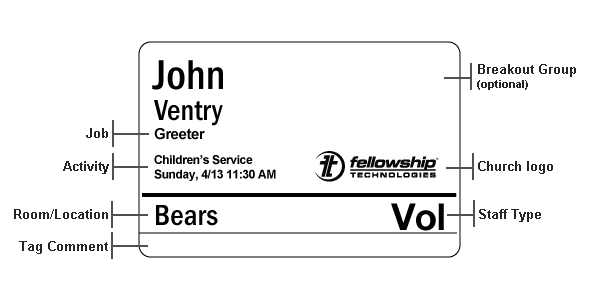
Two of the features that make Fellowship One Check‐in a security asset is that volunteer check‐in requires an assignment and volunteer name tags are different from participant name tags. As shown below, volunteer John Ventry has an assignment to work during the Children’s Service activity as a Greeter in the Bears room.
Two things on this tag should immediately stand out to you: one is that the job title appears just below the volunteer’s name and the other is that the staff type appears in the place normally reserved for security codes.
Note: When creating an assignment, the Job field is not required. You can create a volunteer assignment without a job title. The name tag will simply omit the title beneath the name.
Volunteer assignments can be created in two ways, both ways require manual work by a Fellowship One user with specific security rights. The two ways to create a volunteer assignment are as follows:
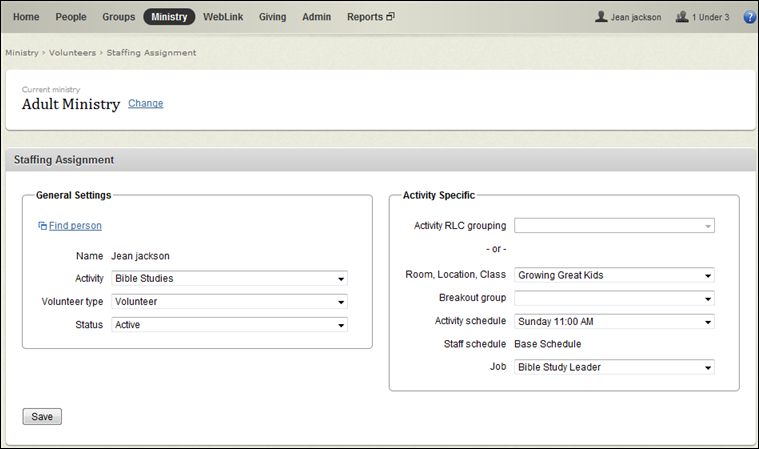
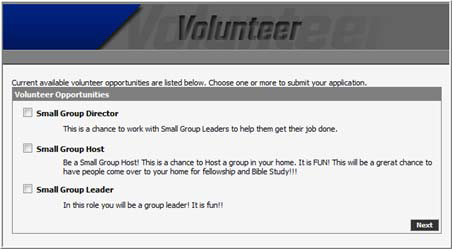
At the Check‐in station, it does not matter which method was used to create the assignment. All volunteers will check in the same way.